
Can AI search engines fetch and index your pages? What you control
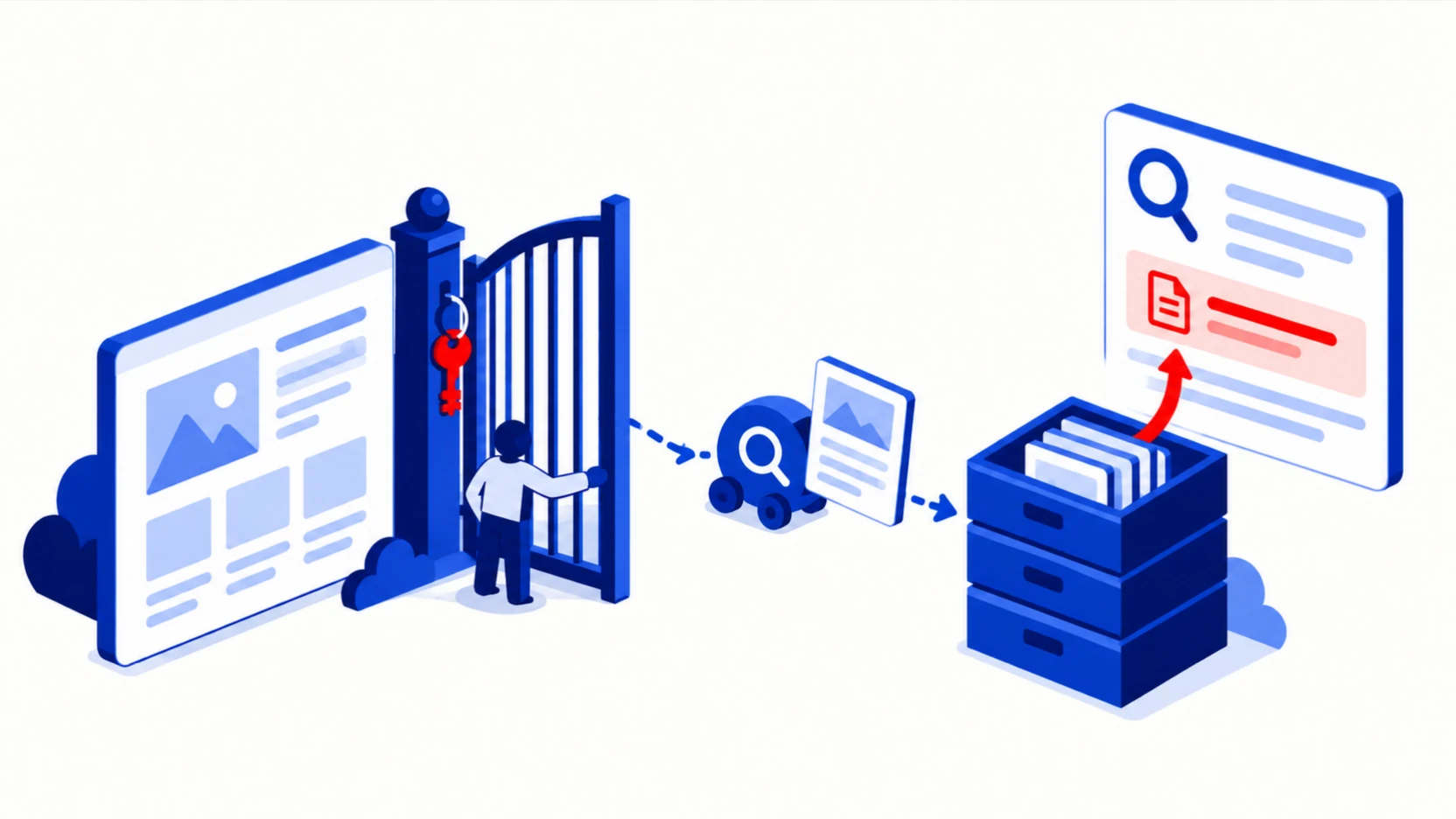
Key point. AI search engines can only cite a page their crawler was allowed to fetch, and every major vendor runs a search crawler that is separate from its training crawler.
You control four things: which of those crawlers your robots.txt lets in, whether your CDN or firewall lets them through, whether your content is in the HTML they receive, and, for Google, whether your site is included in Google's generative AI features in Search Console. Blocking a training crawler does not remove you from AI search, and blocking a search crawler does, so the most common failures are a catch-all rule, a firewall setting, or a page that only appears after JavaScript runs.
This is stage 0 of the AI search visibility funnel: before an engine can choose your page, it has to be able to read it.
Most guides stop at the crawler list. Further down, we also show how our crawler access check decides whether a block was deliberate, so a page you hid on purpose is not reported as a mistake.
Should I block AI crawlers from my website?
Block a vendor's search crawler only if you are willing to drop out of that engine's answers; a training crawler is a separate choice you can make on its own. Most vendors give the two jobs different robots.txt names: OpenAI says sites opted out of OAI-SearchBot "will not be shown in ChatGPT search answers", while disallowing GPTBot signals that content "should not be used in training generative AI foundation models". The table below lists each name, and the section after it explains what a block does not remove.
Which AI crawlers fetch my pages for search, and which collect training data?
Each vendor documents a search crawler, a fetcher that runs when a user asks a live question, and (for most) a training crawler, and each is controlled by its own robots.txt name. The list below gives the names as each vendor's crawler page spells them.
| Vendor | Search or index crawler | Fetches on a user's request | Training crawler or control |
|---|---|---|---|
| OpenAI (ChatGPT) | OAI-SearchBot | ChatGPT-User | GPTBot |
| Anthropic (Claude) | Claude-SearchBot | Claude-User | ClaudeBot |
| Perplexity | PerplexityBot | Perplexity-User | None documented; Perplexity says PerplexityBot is not used for model training |
| Googlebot | Not covered here | Google-Extended, a robots.txt control name rather than a separate crawler | |
| Microsoft (Bing, Copilot) | Bingbot | No separate name in the sources we checked | No separate name in the sources we checked |
The vendors say this in their own words:
- OpenAI: "Sites that are opted out of OAI-SearchBot will not be shown in ChatGPT search answers, though can still appear as navigational links." And separately: "Disallowing GPTBot indicates a site’s content should not be used in training generative AI foundation models." OpenAI adds that "ChatGPT-User is not used to determine whether content may appear in Search", and that "if your site has allowed both bots, we may use the results from just one crawl for both use cases", so a count of visits per crawler in your logs does not tell you which use the content went to. A fourth name, OAI-AdsBot, "only visits pages submitted as ads", and OpenAI says its data is not used for training. (OpenAI crawler documentation)
- Anthropic: "Disabling Claude-SearchBot on your site prevents our system from indexing your content for search optimization, which may reduce your site's visibility and accuracy in user search results." (Anthropic crawler documentation)
- Perplexity: PerplexityBot "is designed to surface and link websites in search results on Perplexity. It is not used to crawl content for AI foundation models." (Perplexity crawler documentation)
- Google: "Google-Extended does not impact a site's inclusion in Google Search nor is it used as a ranking signal in Google Search." (Google crawler documentation)
The user-request fetchers follow different rules. OpenAI says of ChatGPT-User: "Because these actions are initiated by a user, robots.txt rules may not apply." Perplexity says of Perplexity-User: "Since a user requested the fetch, this fetcher generally ignores robots.txt rules." Anthropic, by contrast, describes Claude-User as a name site owners can use to control those requests.
We keep a dated copy of each vendor page and check quotes against it word for word.
This page covers the five vendors in the table above. Other companies that build AI products, Apple and Common Crawl among them, run crawlers with their own names and their own documentation; check their pages before you write rules for them. Some older names still circulate in robots.txt templates: anthropic-ai and Claude-Web are not on Anthropic's current crawler page, which lists ClaudeBot, Claude-User and Claude-SearchBot.
What does blocking a crawler not remove?
Blocking is forward-looking and per host, so it leaves several things in place. OpenAI's training wording is about the future ("should not be used in training"), and Anthropic says restricting ClaudeBot signals that a site's "future materials" should be excluded from training datasets; neither says that content collected before the block is removed from models already trained. Pages on other sites that quote or summarise you are governed by those sites' robots.txt, not yours, so an engine can still cite them about you. ChatGPT search can still show an opted-out site as a navigational link. And on Google, excluding your site from AI features does not remove your topic: Google says "content from other sites will still be available in those features, and it may appear similar to yours."
robots.txt is also a request to crawlers that choose to follow it, not access control. Pages that must stay private, such as customer-only docs or investor materials, belong behind a login, not behind a Disallow line that anyone can read.
How does Google decide whether my site can appear in AI Overviews and AI Mode?
Google uses its ordinary search crawler and index, plus one setting in Search Console. Google's July 2026 guide says that to be eligible a page "must be indexed and eligible to be shown in Google Search with a snippet", and that "in addition to the technical requirements for Search, a site must be included in Search generative AI features in Search Console" (Google). Google's older "AI features and your website" page, last updated December 2025, still says there are "no additional technical requirements"; the newer guide is the one to follow.
Inclusion is the default. Under Settings, the Search generative AI control lets a property include or exclude its "links and content" from AI Overviews, AI Mode and generative AI features in Google Discover, and Google says the control rolled out to all websites worldwide on August 31, 2026 (Search Console Help). Three details matter for any company with a docs or blog subdomain:
- Child properties inherit. A URL-prefix or subdomain property follows its closest parent's choice unless its owner overrides it, so one decision on the domain property can cover
docs.andblog.without anyone on those teams knowing. - It is not a training control. Google says the setting "doesn't affect AI training" and points to Google-Extended for that, and that
noindexis the way to leave Google Search completely. - It takes days. Google says exclusion generally takes "a few days", with content excluded "within 1-2 days after the control goes live" and some taking longer because of caching.
To see whether it is working, Google's Generative AI performance report shows how often links to your site were shown in AI Overviews and AI Mode, by page, country and device, with export (Search Console Help). If the report is missing, Google says the property may not have enough AI-feature impressions, or may have been excluded.
Which index does each AI engine retrieve from?
Google's AI features and Microsoft Copilot retrieve from their own search indexes, and the vendors say so. ChatGPT, Claude and Perplexity use a mix, and how the mix splits is not published. Here is what is documented and what is only reported.
| Engine | Where it retrieves from | Basis |
|---|---|---|
| Google AI Overviews and AI Mode | The Google Search index | Documented by Google: a page "must be indexed and eligible to be shown in Google Search with a snippet", and the site must be included in Search generative AI features in Search Console (Google) |
| Gemini app | Google Search, among other Google services | Documented by Google: "Gemini can always use public information from Google Search" (Gemini Help) |
| Microsoft Copilot | The Bing search service | Documented by Microsoft for Microsoft 365 Copilot and Copilot Chat (Microsoft Learn) |
| ChatGPT search | OpenAI's own OAI-SearchBot crawler plus third-party search providers, including Bing | OAI-SearchBot is documented by OpenAI. Bing was confirmed by OpenAI's search lead at launch (The Verge, October 2024), and Microsoft's Bing team lists ChatGPT among the AI tools Bing powers (Bing, June 2025). The share from each source is not published. Reports that ChatGPT also uses Google results, from The Information and SEO testers, are not confirmed by OpenAI. |
| Claude | Brave Search, plus Anthropic's own Claude-SearchBot | Anthropic lists Brave Search as a web search subprocessor (Anthropic Trust Center). How Brave and Claude-SearchBot divide the work is not published. |
| Perplexity | Its own index, built by PerplexityBot | Documented by Perplexity. We did not find Perplexity documentation naming Bing, Google or Brave as a current source, so claims that Perplexity runs on Bing should be treated as unconfirmed. |
One link is easy to miss. Brave's crawler help page says: "if a domain or page is not crawlable by Googlebot, then Brave Search’s bot will not crawl it either" (Brave). Because Anthropic lists Brave as a search subprocessor, a rule that blocks Googlebot can reach further than Google.
Engine-by-engine detail is in our guides to ChatGPT search, Google AI Overviews and AI Mode, Perplexity, Claude and Microsoft Copilot.
Which robots.txt mistakes silently block AI search?
The mistakes that block AI search rarely look like a block of AI search: they look like an old rule, a security setting, or a rule written for a different crawler.
- An inherited blanket disallow.
User-agent: *followed byDisallow: /is left over from a staging site, or sits under a file that allowed only Googlebot and Bingbot by name. Every newer crawler, including OAI-SearchBot, Claude-SearchBot and PerplexityBot, falls into the*group and is blocked. - Blocking training and catching search. A team decides it does not want to be used for training and blocks everything under
*. That also blocks the search crawlers. The reverse happens too: someone blocks OAI-SearchBot believing it is the training crawler, and the site drops out of ChatGPT search answers. - A named group that drops your other rules. A crawler obeys only the most specific group that names it. Google's robots.txt documentation puts it this way: "Only one group is valid for a particular crawler" (Google). If you add a group for OAI-SearchBot, the rules under
*no longer apply to it, so private paths you listed only under*are open to it. - A firewall or CDN that says no while robots.txt says yes. Bot management can answer a new crawler with 403 (forbidden), 429 (too many requests) or a challenge page. Perplexity's documentation says that behind a web application firewall "you may need to explicitly whitelist Perplexity’s bots." Anthropic notes that blocking its IP addresses "impedes our ability to read your robots.txt file." Cloudflare's documentation describes AI bot policies with separate Search, Agent and Training settings, and says: "Mixed-purpose crawlers that combine Search and Training will also be blocked by all configurations to block AI training" (Cloudflare). Check which category each crawler you care about falls into.
- A robots.txt that errors. Under the robots.txt standard, a file that returns a server error (5xx) means the crawler "MUST assume complete disallow", while a 404 means it may crawl everything (RFC 9309). Crawlers that follow the RFC to the letter therefore stop at a robots.txt that times out or returns 500. Google documents a softer rule: it stops crawling for the first 12 hours, then uses the last good copy for up to 30 days, and with no cached copy "assumes there's no crawl restrictions" (Google). The other AI vendors do not say which rule they follow, so treat a failing robots.txt as a block until you know otherwise.
- Forgetting subdomains. robots.txt applies per host. Your docs, blog or help center on a subdomain has its own file, and Anthropic's documentation tells site owners who opt out to do so "for every subdomain" they want covered.
- Relying on Crawl-delay. It is not part of the standard and support varies. Anthropic says "we support the non-standard Crawl-delay extension"; Google's robots.txt specification says fields "such as crawl-delay aren't supported"; OpenAI's crawler page does not mention it. A
Crawl-delayline written for OpenAI's crawlers does nothing that OpenAI has documented.
What does a robots.txt look like that allows AI search and makes a deliberate training choice?
The example below lets the search crawlers and user-request fetchers in, keeps private paths private for everyone, and puts the training crawlers in their own group so the training decision cannot leak into search. The training group shows one option, opting out. Allowing training is an equally valid choice; we are not recommending either.
# Search and answer crawlers: allowed, so AI search can fetch and cite our pages.
# A named group replaces the * group, so private paths are repeated here.
User-agent: OAI-SearchBot
User-agent: ChatGPT-User
User-agent: Claude-SearchBot
User-agent: Claude-User
User-agent: PerplexityBot
User-agent: Perplexity-User
User-agent: Googlebot
User-agent: Bingbot
Disallow: /app/
Disallow: /account/

# Training: our deliberate choice, recorded here so a future editor knows it was intended.
# Option A (shown): do not use our content for model training.
# Option B: replace "Disallow: /" with "Allow: /" below, or delete this group.
User-agent: GPTBot
User-agent: ClaudeBot
User-agent: Google-Extended
Disallow: /

# Everyone else
User-agent: *
Disallow: /app/
Disallow: /account/

Sitemap: https://www.example.com/sitemap.xml
Three notes on this file. Keep training and search crawlers in separate groups, because a Disallow in a shared group applies to every name in it. Google-Extended controls whether Google may use your content to train Gemini models and to ground answers in the Gemini app and Vertex AI, and Search Console Help says it is also the control for training the models behind Search's generative AI features. Google says it does not affect inclusion in Google Search; whether you appear in AI Overviews and AI Mode is governed by Googlebot, snippet controls and the Search Console setting described above. OpenAI says changes take about 24 hours to reach its search systems, Perplexity says up to 24 hours, and Google says it "generally caches the contents of robots.txt file for up to 24 hours".
Which robots.txt advice in circulation is wrong?
We checked the robots.txt advice in the guides that rank and are cited for these questions against the vendors' own pages. Four errors recur, and each one fails quietly:
- A made-up user-agent token. One guide's recommended configuration uses
openai_chat_gpt_user. OpenAI's documented name isChatGPT-User; a group under any other name matches nothing, and the reader believes it is configured. - Google-Extended as a way out of AI Overviews. One guide lists Google-Extended as the agent behind "Gemini, AI Overviews". Google-Extended is a training and grounding control, and Google says it "does not impact a site's inclusion in Google Search", so blocking it does not take you out of AI Overviews. The setting that does is in Search Console.
- GPTBot as a requirement for ChatGPT search. Some guides say allowing GPTBot is "necessary" to appear in ChatGPT. OpenAI's own example is the opposite: "a webmaster can allow OAI-SearchBot in order to appear in search results while disallowing GPTBot."
- Crawl schedules and Crawl-delay for OpenAI. Claims that one OpenAI crawler visits weekly and another more often, and advice to add
Crawl-delay: 10, have no basis in OpenAI's documentation, which publishes no schedule, does not mention Crawl-delay, and says one crawl may serve both uses.
Can AI crawlers read content that loads with JavaScript?
Google documents that it renders JavaScript; the other AI vendors do not say whether their crawlers do, and the best public evidence suggests most do not. Google's documentation says that once resources allow, "a headless Chromium renders the page and executes the JavaScript" (Google). A December 2024 analysis by Vercel and MERJ of crawler traffic on Vercel's network found that "none of the major AI crawlers currently render JavaScript", naming OAI-SearchBot, ChatGPT-User, GPTBot, ClaudeBot and PerplexityBot (Vercel). That is one company's analysis of its own network, from 2024, and it did not cover Claude-SearchBot.
For a SaaS or fintech site, and for most companies with a product to explain, the pages at risk are usually the ones a buyer asks about: pricing tables, feature comparisons and docs rendered in the browser. The practical test is to view the page source (not the inspected page) or fetch it without a browser, and check that the text you want quoted is in the HTML. If it is not, server-side rendering or static generation for those pages removes the question. How to write those pages so an engine can lift a passage is covered in writing pages for AI answer engines.
Is there a way to submit my site to AI search engines?
Only for engines that run on Google or Bing. Google Search Console and Bing Webmaster Tools are the two real submission routes, and neither Anthropic nor Perplexity offers one.
- Google AI Overviews, AI Mode and Gemini: Google Search Console. Submit a sitemap, use URL Inspection on your most important pages, confirm the Search generative AI setting is on include, and read the Generative AI performance report. Google says a recrawl request does not guarantee indexing (Google), and that special files such as llms.txt are not needed for Google Search (Google).
- Microsoft Copilot, and the Bing share of ChatGPT search: Bing Webmaster Tools and IndexNow. Bing Webmaster Tools added an AI Performance report in February 2026 that shows "how often your content is cited in generative answers" across Copilot and Bing's AI summaries (Bing Webmaster blog). IndexNow's published list of participating engines includes Bing and does not include Google (IndexNow). On our own site, here is what the report counted: "Microsoft's AI Performance report counted 5,260 citations of our site in Microsoft's AI experiences between March 8 and September 6, 2026, rising from about 3 a day in March to about 63 a day in August. Its grounding-query report listed 73 searches Microsoft's AI ran when it cited us; ten were rewordings of one question." Microsoft says the report covers Microsoft Copilot, AI-generated summaries in Bing and select partner integrations, and that grounding queries are a sample. Our site grew over that window.
- ChatGPT search beyond Bing: OpenAI offers no submission tool. Its documentation recommends allowing OAI-SearchBot and requests from its published IP ranges.
- Perplexity: no submission tool. Allow PerplexityBot and, if you use a firewall, Perplexity's published IP ranges.
- Claude: no Anthropic submission tool. Brave's crawler help page links a form that asks Brave to re-fetch a single page; it is a re-fetch request, not a sitemap submission, and Brave's own index sits between you and Claude.
Being submitted is eligibility, not selection. For Google AI Overviews, our own measurement on US non-branded searches points the same way:
"Across the non-branded searches we measured, more than half of the sites AI Overviews cited weren't in Google's top 10. Good rankings don't guarantee your page is the one being read."
That is the next stage, covered in why ranking is not retrieval.
How our crawler access check decides whether a block was deliberate
Our check scores each engine separately and never rolls them into one access score, because a block for ChatGPT says nothing about Claude. Within an engine, the search crawler, the training crawler and the user-request fetcher are three separate decisions, and only the search crawler decides retrieval.
Every crawler on every path lands in one of six states: blocked, allowed by name, allowed by the catch-all * group, no rule at all, no robots.txt file, or unknown. Only the first is a block. A missing file and a file that never mentions a crawler both mean "allowed" under the standard, and a failed fetch is "unknown", never a verdict. We score the site root and every literal path the file names, and we report the line that decided each verdict.
A blocked search crawler is not assumed to be a mistake. Some companies keep pages online for people and withhold them from search on purpose, such as pages about a retired product. We look for four signs that a block is deliberate:
- the page is missing from the sitemap while its sibling pages are listed;
- the page is missing from an llms.txt that lists its sibling pages (a weak hint: the llms.txt proposal is a list of what to include and has no syntax for excluding anything, so an omission may be an oversight);
- the page carries
noindexin its head or in anX-Robots-Tagheader; - the robots.txt rule, or the comment block above it, states the intent.
Any one of the other three marks the block "excluded by design", and we propose no change; the llms.txt hint alone only lowers our confidence that the block was a mistake. One pattern points the other way: training crawlers blocked in their own group while the search crawler is caught only by the catch-all group, which is what a training opt-out that removed search by accident looks like. If every sign could be read and none fired, we call the block probably unintended and name the line to change. If any sign could not be read, we report the intent as undetermined and ask, because telling a company to expose a page it hid on purpose is the costlier error.
robots.txt is only half of access. A test request with a borrowed user agent does not come from the vendor's IP addresses, so it cannot show what a firewall does to the real crawler; server logs can (step 5 below). We are building a free, open-source version of this check that anyone can run against their own site.
A crawler access check you can do this week
These nine steps cover each failure described on this page.
- Open robots.txt on every host you own:
www, the apex domain, and anydocs,blog,helporappsubdomain. Note the HTTP status. A 5xx response blocks everything. - For each search crawler, find the group that applies to it: OAI-SearchBot, Claude-SearchBot, PerplexityBot, Googlebot and Bingbot. If a group names it, only that group counts. If none does, the
*group counts. - Check that your training decision is deliberate and separate. GPTBot, ClaudeBot and Google-Extended should sit in their own group, with a comment that says what you decided and why.
- Open your CDN and firewall settings and look for AI bot, bot fight or bot management options. Confirm the search crawlers are allowed, not just the training ones blocked.
- Search your server or CDN logs for the five search crawler names. Look at the status codes they received: 200 is good; 403, 429 or a challenge page means something in front of your site is refusing them. Check the source IPs against the vendors' published ranges, because anyone can fake a user agent.
- Fetch your ten most important pages without a browser. Pricing, product, comparison and docs pages first. The text you want quoted should be in the raw HTML.
- Check Google's AI setting. In Search Console, open Settings, then Search generative AI, on the domain property and on any child property for a subdomain, and confirm the site is included. Then open the Generative AI performance report.
- Submit where submission exists. Sitemap and URL Inspection in Google Search Console; sitemap and IndexNow in Bing Webmaster Tools, then look at its AI Performance report.
- Wait a day and check again. OpenAI and Perplexity both say robots.txt changes take up to about 24 hours, Google caches robots.txt for up to 24 hours, and Google says a change to the AI setting generally takes a few days.
For step 6, a plain fetch looks like this. It shows you the HTML and status your server returns to a request carrying that name; it does not reproduce the vendor's IP addresses.
curl -s -A "OAI-SearchBot" -o page.html -w "%{http_code}\n" https://www.example.com/pricingFrequently asked questions
If I block GPTBot, will my site disappear from ChatGPT?
No. OpenAI documents GPTBot and OAI-SearchBot as independent settings: GPTBot controls whether content may be used for training, and OAI-SearchBot controls whether the site is shown in ChatGPT search answers. You can block one and allow the other.
Does blocking Google-Extended remove me from AI Overviews?
No. Google says Google-Extended "does not impact a site's inclusion in Google Search", and AI Overviews and AI Mode are part of Google Search. What controls AI Overviews is ordinary indexing, snippet controls such as nosnippet (documented on Google's robots meta tag page), and the Search generative AI setting in Search Console.
Do I need an llms.txt file to appear in AI search?
Not for Google: Google says Search does not use such files. The other vendors' crawler pages we checked do not mention llms.txt as an inclusion requirement. The llms.txt proposal is a list of what to include and has no way to exclude a page, so our own crawler access check reads it only as a weak hint about intent.
What is the difference between being indexed and being cited?
Being indexed means the engine can find and read your page. Being cited means it chose your page for a specific answer. This page covers the first; the AI search glossary defines both, and the later stages in the AI search visibility funnel cover what happens after.
Work with us
If you want the crawler, firewall and Search Console checks done for you, and the fixes made with your team, our managed AEO services cover them: Book a call. If you would rather start by seeing where you stand, Lenz, our AI visibility platform, gives you a free analysis of how ChatGPT and Gemini answer your buyers' questions: Get your free AI visibility report.
Sources
- OpenAI, "Overview of OpenAI Crawlers": developers.openai.com/api/docs/bots (our snapshot August 26, 2026; rechecked October 5, 2026)
- Anthropic, "Does Anthropic crawl data from the web, and how can site owners block the crawler?": support.claude.com (our snapshot August 26, 2026)
- Perplexity, "Perplexity Crawlers": docs.perplexity.ai (our snapshot August 26, 2026)
- Google, "Google's common crawlers" (Googlebot, Google-Extended): developers.google.com (our snapshot August 26, 2026)
- Google, "AI Features and Your Website": developers.google.com
- Google, "Google's Guide to Optimizing for Generative AI Features on Google Search": developers.google.com (last updated July 10, 2026)
- Google Search Console Help, "Search generative AI control": support.google.com
- Google Search Console Help, "Generative AI performance report (Search)": support.google.com
- Jeremy Howard, "The /llms.txt file" (proposal): llmstxt.org
- Google, robots.txt specification: developers.google.com
- Google, "Understand the JavaScript SEO basics": developers.google.com
- Google, "Ask Google to recrawl your URLs": developers.google.com
- Google, "Robots meta tag, data-nosnippet, and X-Robots-Tag specifications": developers.google.com
- Google, Gemini Apps Help on connected Google services: support.google.com
- Microsoft, "Data, privacy, and security for web search in Microsoft Copilot and Microsoft Copilot Chat": learn.microsoft.com
- Microsoft Bing, "Start Using Bing Webmaster Tools to Improve Your Site Visibility" (June 2025): blogs.bing.com
- Elementera, Bing Webmaster Tools AI Performance and grounding-query exports for elementera.com, March 8 to September 6, 2026 (our own site)
- Microsoft Bing, "Introducing AI Performance in Bing Webmaster Tools Public Preview" (February 2026): blogs.bing.com
- IndexNow, participating search engines: indexnow.org
- Anthropic Trust Center, subprocessors: trust.anthropic.com
- Brave, "Brave Search crawler": search.brave.com
- The Verge, "OpenAI's search engine is now live in ChatGPT" (October 31, 2024): theverge.com
- Koster, Illyes, Zeller and Sassman, "Robots Exclusion Protocol", RFC 9309, IETF, 2022: rfc-editor.org
- Vercel and MERJ, "The rise of the AI crawler" (December 17, 2024): vercel.com
- Cloudflare, "Block AI Bots" (bot solutions documentation): developers.cloudflare.com

Sr. Engineering Leader with 15+ years of experience. Ex-ApplyBoard. AWS Certified Solutions Architect.

Ex-Microsoft. 10+ years of experience in AI/ML, MSc from Université de Montréal (Mila). US patent holder.
Related articles
- AI search glossary: 55 terms, defined precisely
- Inside Google’s First Year of AI Mode: What 1 Billion Users Reveal About How Americans Search Now
- How to Do Prompt Research for AEO and AI Search Optimization
- Why Choose Answer Engine Optimization (AEO) for AI Search Optimization Over Traditional SEO?
- How Answer Engine Optimization Strategies Enhance AI Search Engine Visibility and Brand Discoverability
Latest articles
- How to advertise in AI assistants: what is live now
- How to choose an AEO agency: the questions to ask, the red flags, and what a managed AEO service should deliver
- Elementera receives angel investment to grow Lenz and the team behind it
- Is good AEO just good SEO? What our measurements show
- Dental Practice Software in 2026: A Practical Guide to PMS Platforms and AI Tools (US and Canada)